Open Weight Model Economics
This note covers Zach Mueller’s session in the AI Product Engineering series.
Zach surveys open model families and shares opinions from daily use:
- Qwen: the 27B dense model is his pick for an everyday agent, meaning personal assistant tasks (checking email, website lookups, calling APIs) rather than coding. He ran his own background agents on it for months.
- GLM 5.2: nearly his daily driver for coding, a workhorse that doesn’t get distracted or make small mistakes.
- DeepSeek V4 Flash: a direct replacement for Claude Haiku.
- Kimi: his favorite for writing, but serving it at full precision takes an 8x B200 node, so it’s hard to run yourself.
Before picking a model, estimate whether it fits your hardware with Weights (GB) = Params (B) x N x 0.5, where N is 1 for 4-bit, 2 for 8-bit, 4 for 16-bit, and 8 for 32-bit. EleutherAI’s transformer math post has the precise accounting.
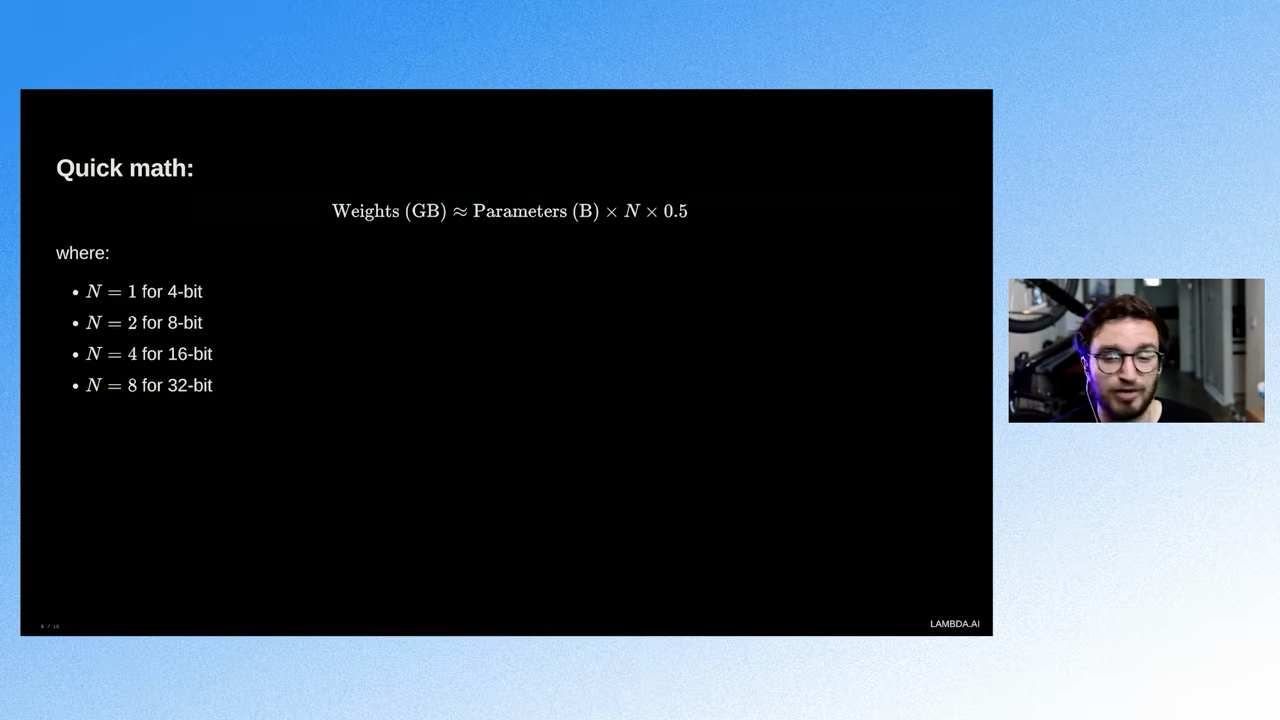
For example, a 27B model at 4-bit needs about 13.5 GB, which fits a 16 GB card after you leave room for activations and the KV cache.
Zach cautions against sending private code through third-party routers like OpenRouter, since requests can land on hosts with varying data privacy. He also warns about model routers that switch providers mid-session, which may invalidate caching. If you use a router, measure its effect on latency and cost with evals rather than guessing.
For rented GPUs, Zach prefers a single top-tier node over a multi-node H100 cluster. The H100s cost only 10 to 20 percent less, and multi-node serving adds interconnect bottlenecks.
Watch the full session below.
To find out whether an open model is good enough for your task, see the AI Evals course, a live cohort with hands-on exercises and office hours.