Claude’s new auto eval tool
Anthropic released new eval tooling for Claude Code. Their claude-api plugin now includes a new build_eval and hill-climb command that helps you build evals, check the graders, and improve your application against them.
I usually don’t review eval tools because software changes so often that reviews have a short shelf life. But a first-party tool from Anthropic is likely to influence how people approach evals, so I wanted to try it and share what I found.
Isaac Flath and I livestreamed ourselves using it on conversation traces from an apartment leasing assistant. Here’s what we found:
The bad
1. It pushes you to create an eval before looking at data
Claude started by suggesting several potential failures, then asked us to pick one straight away to turn into an eval. It gave us the below menu of options, with call-transfer rules as the recommended choice. We hadn’t yet reviewed the conversations ourselves, so it was hard to know if this was a real failure or worth prioritizing. Despite this, we went ahead with the recommended choice, because we figured that’s what typical users would do.
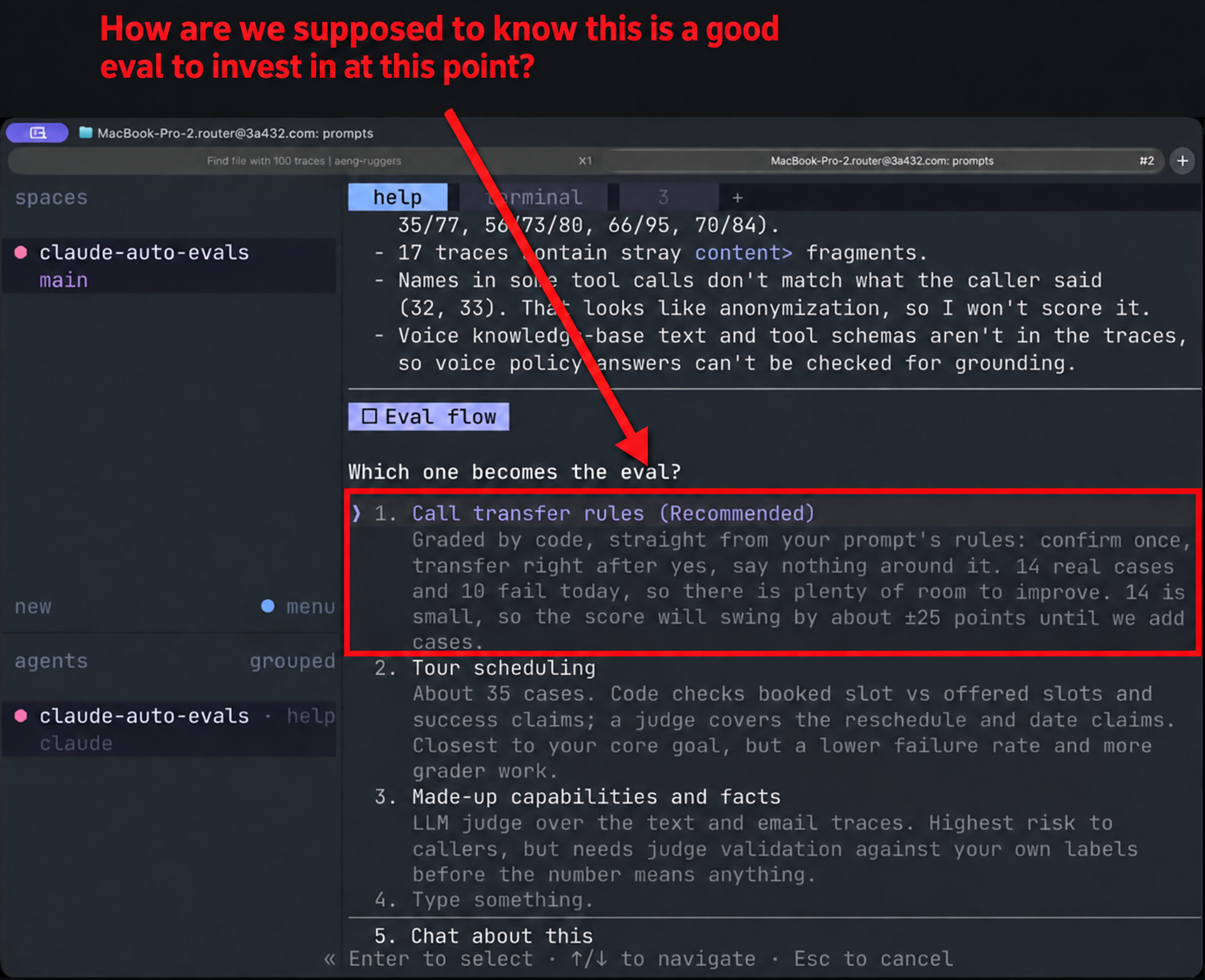
I believe you should be looking at data first to inform your understanding and prioritize which evals to write. An agent can help you find issues, but you still should do error analysis to decide which failures deserve attention before proceeding.
2. It asks you to validate judgments without enough context
Next, Claude created Markdown files for looking at data associated with the call-transfer failure. In the screenshot below, Claude asks us to skim inputs.md and “tell it” which labels are wrong. That meant reading long conversations in an editor and reporting corrections separately in a chat.
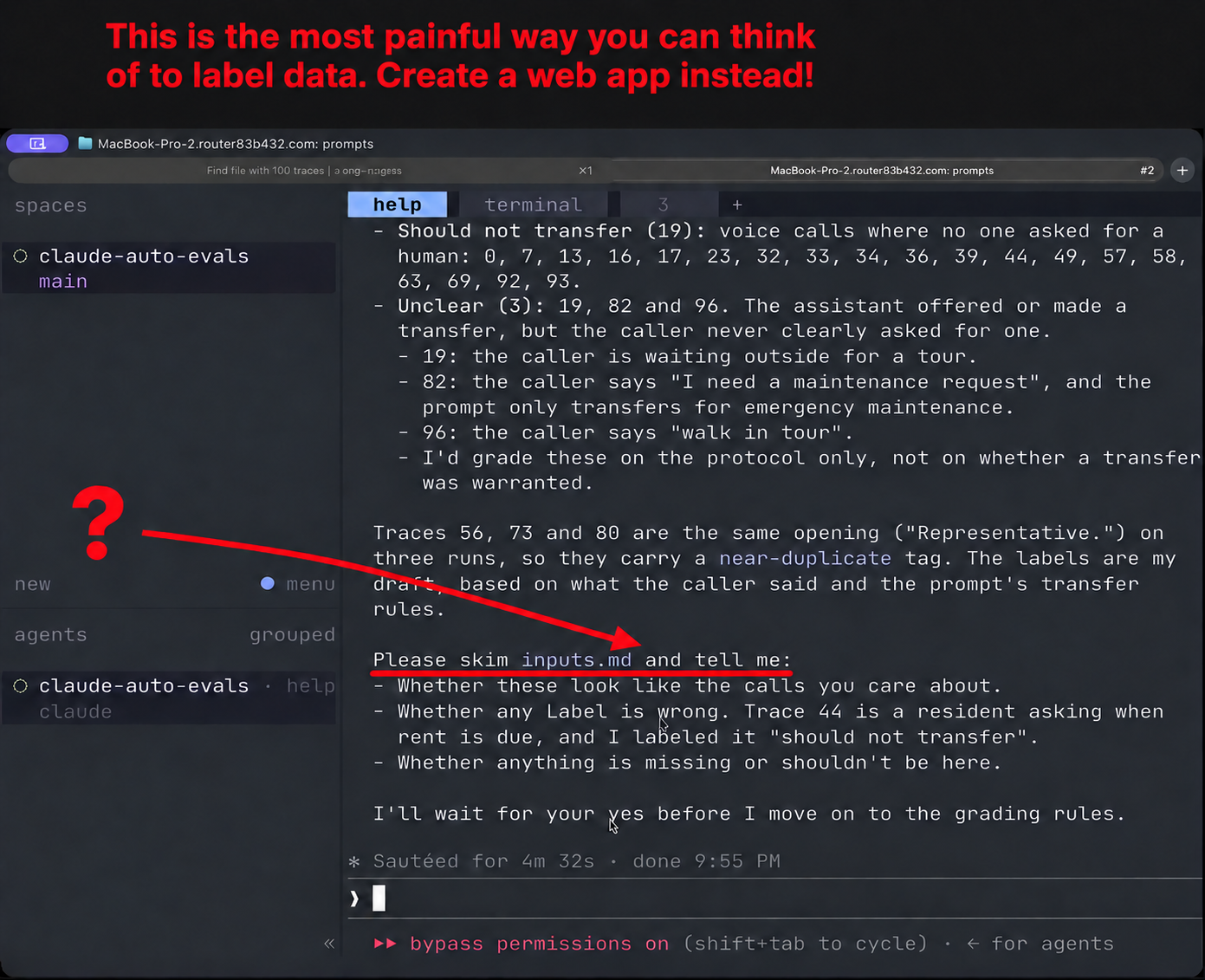
We found this very silly as we were using a coding agent, so it should have built an annotation app that made the conversations easy to read and let us leave feedback in-situ. We eventually asked Claude to build a web app for us and used that instead.
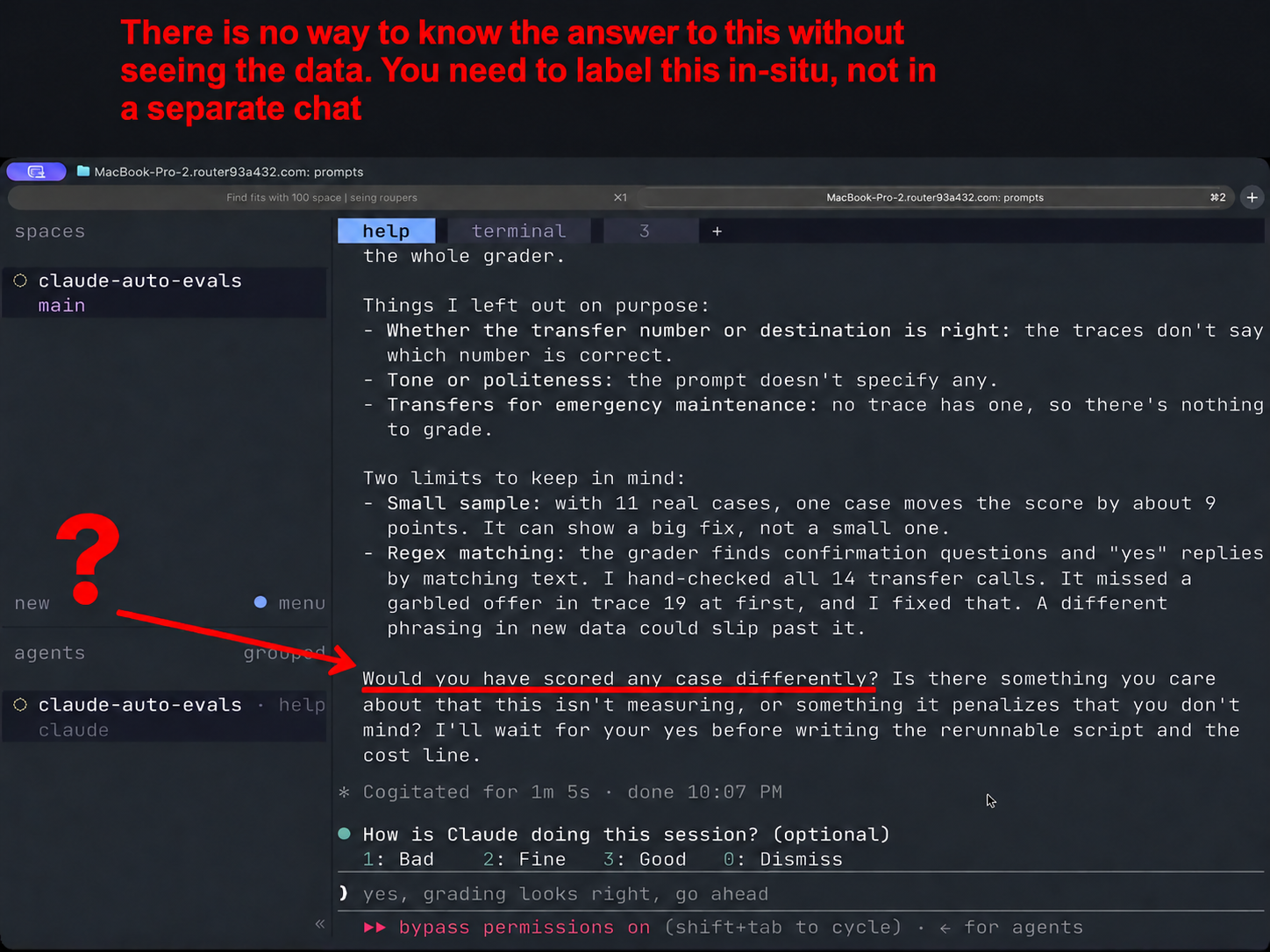
Later in the workflow, Claude made an initial attempt at creating an evaluator for the call-transfer failure. It presented aggregate label counts and asked us, “Would you have scored any case differently?” without giving us enough information to know if the labels were correct. A recurring theme of the workflow was to jump too fast into creating artifacts or asking us for approval without helping us understand the data.
3. The evaluator’s scope was too broad
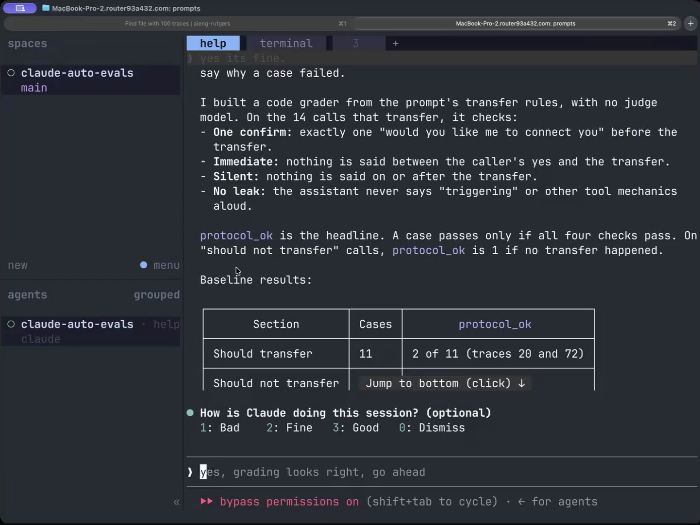
Next, the tool created a call-transfer evaluator that checked four different failures at once:
- Asking for confirmation more than once, or transferring without asking for confirmation. (LLM as a Judge)
- Saying something between the caller’s consent and the transfer. (Code-based eval)
- Saying something during or after the transfer. (Code-based eval)
- Saying tool mechanics aloud, such as “triggering” a transfer. (Code-based eval)
There were too many things bundled into this evaluator. I would prefer to scope the eval to focus on one error at a time, or at the very least separate the evals into those that needed a code-based eval vs a LLM as a Judge.
Claude’s description of the evaluator was also confusing:
protocol_ok is the headline. A case passes only if all four checks pass. On “should not transfer” calls, protocol_ok is 1 if no transfer happened.
This AI slop is hard to read. I’d much rather see the code or the judge prompt so I can understand whats being created. I’ve found that it always pays to read the prompt, especially for something as important as an eval. Below is a screenshot of what this part of the workflow looked like:
The good
I was impressed by this plugin’s out-of-the-box ability to discover issues that other auto-eval approaches haven’t been able to find! It found issues with human handoff, formatting, voice agents, and more. It’s still better to look at your data iteratively with an agent, but this was the strongest performance I’ve seen with a more “one-shot” issue discovery approach.
Anthropic’s blog post introducing this tool broadly conveys thinking that I agree with, such as the importance of looking at data, sampling intelligently, not saturating your own evals, etc. I’m really happy more people are thinking about evals this way.
Would I use it?
I’d hold off for now. I’d want the workflow to help me explore the data before committing to an evaluator, with a better review interface from the start. Additionally, I’m already quite happy with what coding agents can do using these Eval skills Shreya and I put together which is less opinionated (but more flexible).
I’ve since spoken with the author of the Claude eval plugin. He was appreciative of the feedback and said he’d update the plugin accordingly, so I expect it to change soon. It could be worth revisiting in the future.
Even as this plugin changes, I hope this walkthrough helps you assess other eval tools. Make sure the tool helps you understand your data before choosing evals and inspect its judgments carefully. I believe much of the eval workflow should happen in a web application rather than chat to remove friction from data exploration and annotation.
Remember, if an eval tool doesn’t put looking at data at the center of your workflow, it’s not worth using.

Thanks to Isaac Flath for reviewing this article and joining me for the livestream.